Most business owners in the Midwest are suffering from "subscription fatigue." You look at your monthly line items and see a sea of $15, $30, and $50 per-user fees for "security" that you aren't even sure is working.
Here’s the straight truth: you are probably overpaying for basic protection.
At SAINT Technology Services, we see it all the time from Manhattan to Lawrence, businesses paying for third-party "endpoint protection" suites that do exactly what the tools already built into their Windows and Mac machines are designed to do. Before you cut another check to a software vendor, you need to make sure you’ve squeezed every ounce of value out of the hardware and software you already own.
Security isn't always about the size of your budget; it’s about the discipline of your configurations. If your foundation is weak, a $500-a-month software package won't save you. Here is how to lock down your office devices today without spending a single extra dime.
Stop Ignoring the Built-In Armor: Encryption
If one of your employees leaves a laptop in their truck at a job site in Shawnee and it goes missing, is your data gone too? If you haven't enabled full disk encryption, the answer is a terrifying "yes."
Most Windows Pro and Enterprise versions come with BitLocker, and every Mac comes with FileVault. These tools scramble your data so that it’s unreadable without the correct login credentials.
- Windows Users: Search for "Manage BitLocker" in your settings. If it’s off, turn it on. It takes a few minutes to encrypt, but the performance hit is negligible on modern hardware.
- Mac Users: Go to System Settings > Privacy & Security > FileVault.
This is a zero-cost move that instantly elevates your compliance profile. Whether you’re a medical clinic in Manhattan or a law firm in Lawrence, encryption is a non-negotiable baseline.
The Human Firewall: Password Discipline and Auto-Locks
We talk a lot about "cybersecurity," but the biggest gap in your defense isn't a lack of software, it’s the person sitting in the chair. You can drastically improve your endpoint security by enforcing two simple, free rules.
1. The 12-Character Rule
Move away from 8-character passwords. Modern "brute-force" tools can crack a simple 8-character password in minutes. Moving to a 12-character minimum, using a "passphrase" style (e.g., MidwestRainyDays2026!), makes it exponentially harder for hackers. This costs nothing but five minutes of an employee's time to change.
2. The 5-Minute Auto-Lock
Walk through your office right now. How many screens are sitting open while people are at lunch or in the warehouse? A device that stays logged in is an open door. Set a group policy or a local setting to auto-lock devices after 5 minutes of inactivity.
Microsoft 365: You’re Already Paying for It, Use It
If your business runs on Microsoft 365, you are sitting on a goldmine of security features that most offices simply ignore. You don’t need a "premium" cybersecurity add-on to do the basics right.
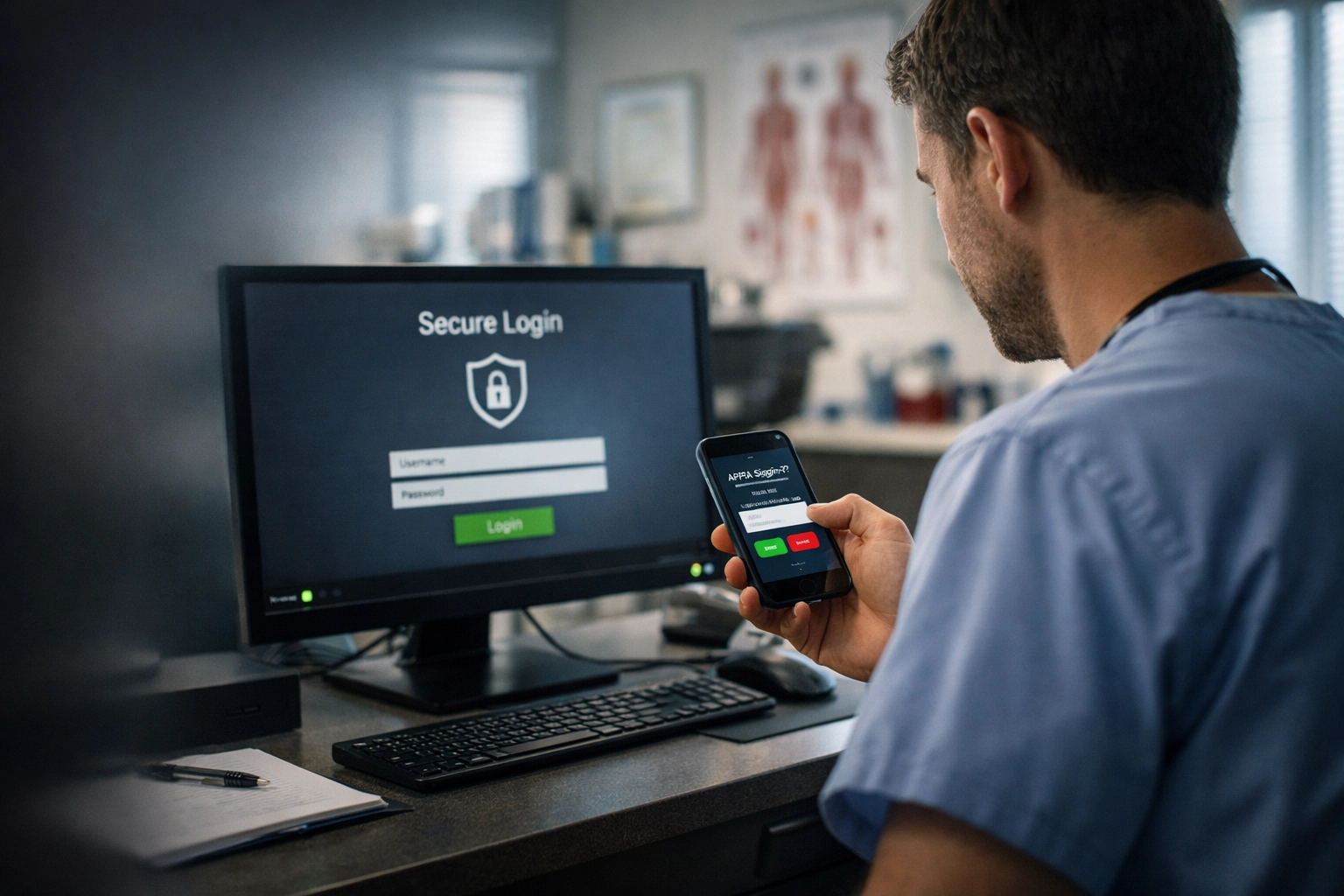
Multi-Factor Authentication (MFA) is the single most effective way to prevent account takeovers. If you aren't using the Microsoft Authenticator app (which is free), you are leaving the door unlocked.
Additionally, check your Security and Compliance Center. Microsoft provides free "Security Defaults" that automatically block legacy authentication protocols and require MFA for administrative roles. It’s a "set it and forget it" move that stops 99% of bulk identity attacks.
Secure Your Guest Access (The Right Way)
Your network is only as secure as its weakest entry point. If you are handing out your main Wi-Fi password to every contractor and visitor who walks into your building, you are creating a massive security hole.
Most modern routers and access points (like the Ubiquiti systems we favor) allow you to create a Guest Network at no extra cost.
- Isolate the Guest Traffic: Ensure the guest network cannot "see" your server, your printers, or your workstations.
- Rotate Passwords: Or better yet, use a captive portal that requires a simple click-through.
This keeps your internal "office" network invisible to anyone who doesn't need to be there. For businesses in the Midwest looking for Cybersecurity Services in Shawnee, KS, this is one of the first things we audit.
Physical Security is Cybersecurity
As a Security + Technology Infrastructure provider, we believe you cannot separate the digital from the physical. A hacker doesn't need to crack your firewall if they can just walk into your server room and plug in a USB drive.
Free Physical Moves:
- Lock your rack: If your server equipment is sitting on a shelf in a hallway, move it.
- Cable locks: For laptops that stay on desks, a $20 cable lock is a deterrent, but simply training staff to put laptops in a locked drawer at night is free.
- Clean Desk Policy: Don't let passwords be written on post-it notes stuck to monitors. It sounds like a cliché, but we still see it in 40% of the offices we visit.
The "One Vendor" Strategy for Cost Cutting
The biggest hidden cost in IT isn't the software; it's the "finger-pointing" tax. When your cameras go down, your IT guy blames the security company. When the security company can't get remote access, they blame the network guy. You end up paying for three service calls to fix one problem.
By converging your Network + Access Control + CCTV + Infrastructure, you move to a "one throat to choke" model. We believe in building systems, like our license-free Ubiquiti camera solutions, that remove the monthly "per-camera" fee while living on a rock-solid network we manage.
When your infrastructure is unified, security becomes a feature of the system, not an expensive add-on. For more information on how we handle these integrations, check out our Managed IT Services.
Why SAINT Solves This
We aren't your typical MSP that just wants to sell you a stack of expensive software and collect a check. We are a veteran-owned, Midwest-rooted team that focuses on Security + Technology Infrastructure.
We start by stabilizing your foundation. We don't just "maintain" systems; we optimize them. If we can secure your endpoints using tools you already pay for, we do it. That leaves more room in your budget for the high-impact upgrades that actually grow your business, like faster fiber, better Wi-Fi, or integrated access control.
FAQ: Zero-Cost Security
1. Is Windows Defender enough to protect my business?
For many small businesses, Windows Defender (the built-in antivirus) is actually excellent when combined with proper firewall settings and MFA. The "free" version is often better than the bloated, paid antivirus software of ten years ago.
2. How do I turn on MFA in Microsoft 365?
Log into your Microsoft 365 Admin Center, go to "Users," and then "Active Users." There is an option for Multi-Factor Authentication. We recommend using "Security Defaults" for the easiest setup.
3. Does BitLocker slow down my computer?
On modern computers with SSDs (which most businesses have moved to), you won't even notice it’s running. The security benefit far outweighs any fractional millisecond of delay.
4. Why should I use a 12-character password instead of 8?
An 8-character password can be cracked by a modern PC in a matter of hours or even minutes. A 12-character password, even without symbols, can take years to brute-force.
5. What is "Converged Security"?
It's the practice of treating your physical security (cameras, door locks) and your IT security (firewalls, servers) as one single system. This reduces gaps in protection and cuts down on vendor overlap.
6. Is there a free way to train my employees on security?
Yes. You can use free resources from the CISA (Cybersecurity & Infrastructure Security Agency) or simply hold a 15-minute "lunch and learn" to show them how to spot a phishing email.
7. Can I secure my guest Wi-Fi without buying new equipment?
Most "Business Class" routers provided by ISPs or bought at retail have a "Guest Network" checkbox in the settings. Turning this on is free and takes two minutes.
8. Why does SAINT recommend Ubiquiti for cameras?
Because there are no monthly licensing fees. You buy the hardware once, you own the footage, and it integrates perfectly with your existing network infrastructure.
Related Services
- Infrastructure Design & Installation
- Managed IT Support
- Physical Access Control
- Cloud Security Management
Serving Businesses in the Midwest
We provide on-site and remote support for businesses throughout Kansas and the surrounding region, specifically focusing on:
- Cybersecurity Services in Manhattan, KS
- Cybersecurity Services in Lawrence, KS
- Shawnee, Overland Park, and the Greater Kansas City Area.
If your business in the Midwest United States is dealing with slow systems, downtime, or unreliable IT support ( SAINT fixes it before it becomes a problem.)